Your Ultimate Entertainment Destination
Stream and download Movies, TV Shows & Anime all in one place. Fully optimized for high-speed streaming in Hindi, English, and multiple regional languages.
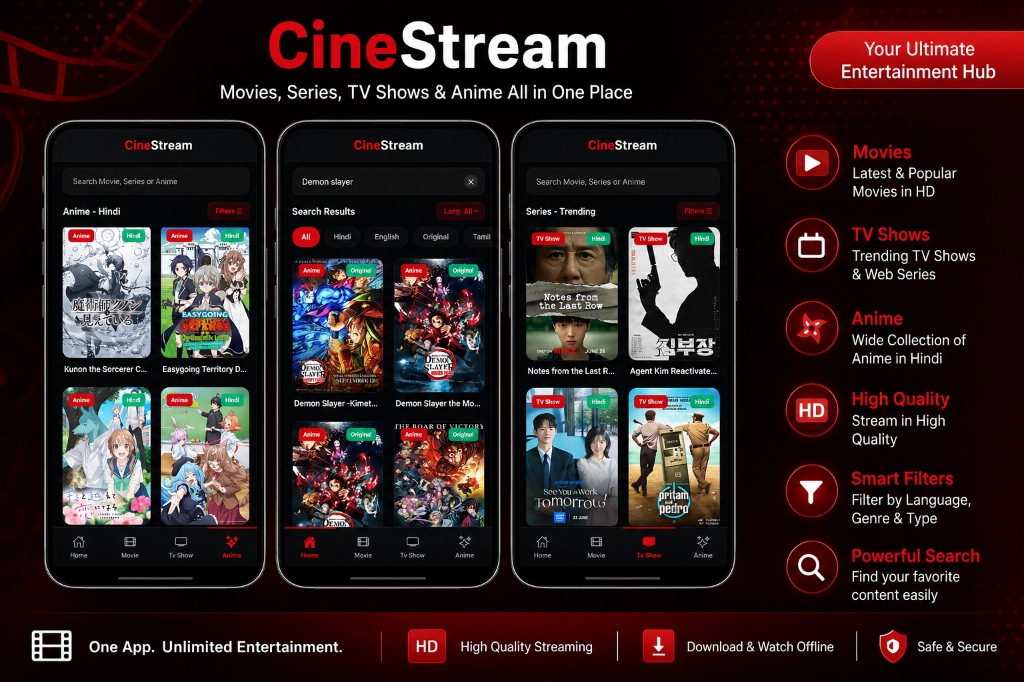
Stream and download Movies, TV Shows & Anime all in one place. Fully optimized for high-speed streaming in Hindi, English, and multiple regional languages.
Explore the outstanding features designed for movie buffs and anime fans alike.
Explore latest and trending movies and web series. Stream blockbusters in full HD quality with adaptive players.
Watch content in your preferred language. We support Hindi, English, Original Audio, Tamil, Telugu, and more.
Download your favorite episodes, series, or movies directly to your device storage to watch offline anytime, anywhere.
Designed with absolute visual excellence in mind. CineStream features a customized, native-feeling player with support for:
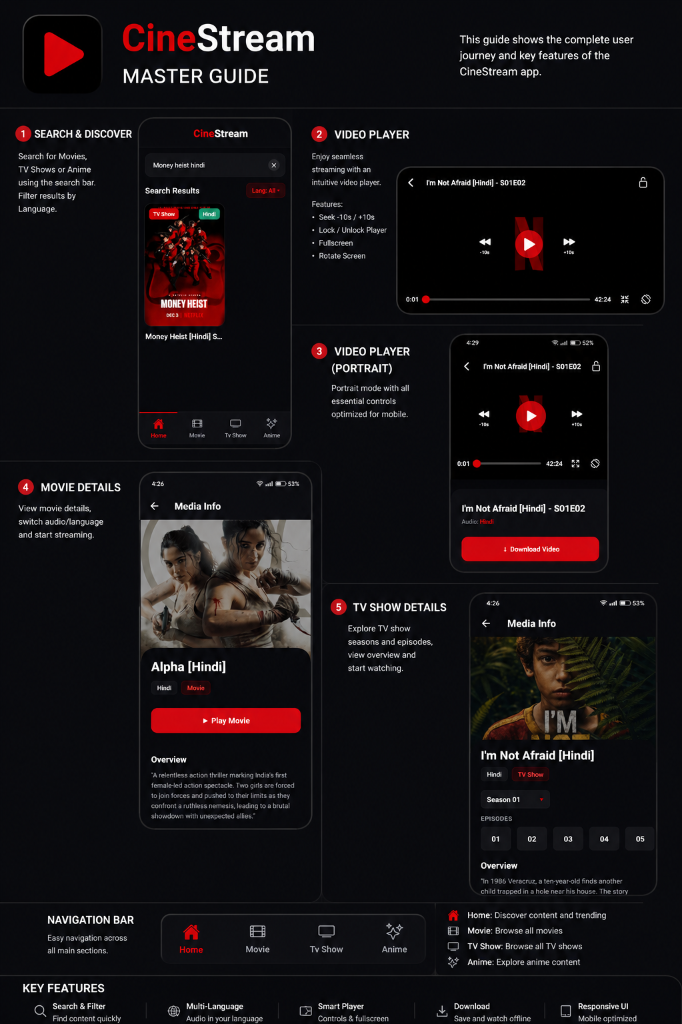

Never miss your favorite episodes. CineStream is India's premium destination for streaming dubbed anime:
Click any "Download Android App" button on this page to start downloading the official, secure APK file.
Go to your device Settings > Security and toggle on "Unknown Sources" to allow installation of apps outside the Play Store.
Open your file manager, locate the downloaded `CineStream.apk` in your Downloads folder, tap it, and click Install.
Launch the app from your app drawer, select your language, and start streaming movies, TV shows, and anime in HD!
You can download the app by clicking the "Download Android App" button at the top of this page. The download will start automatically.
Yes, CineStream is 100% free to download, install, and watch. There are no hidden subscription charges or login requirements.
The app supports Android 5.0 (Lollipop) and all newer versions, including Android 11, 12, 13, and 14.
Yes, we release regular updates with new features, streaming servers, and bug fixes. You will get an in-app notification when an update is available.
Simply download the APK, make sure "Unknown Sources" is enabled in your security settings, locate the file in your downloads folder, and open it to begin the installation process.
Yes, you can install new updates directly over the existing version without deleting the app. Your watch history, favorites, and settings will be preserved.
Join millions of users streaming their favorite anime, movies, and TV series in Hindi. Completely free and secure.
Download APK Now